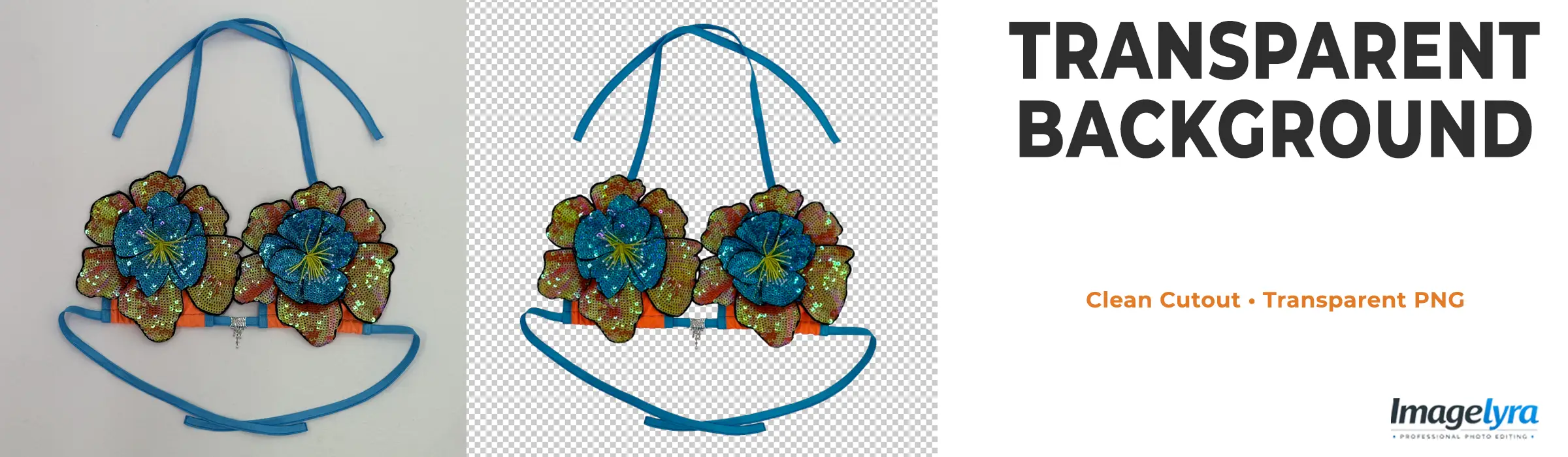
Transparent Background
Transparent background editing removes unwanted surroundings and isolates the main subject on a clear background for flexible image placement. Imagelyra carefully separates products, garments, accessories, and other suitable objects while refining visible edges, internal gaps, and detailed boundaries to create clean cutouts for digital and commercial use.
Our editors review each subject according to its shape, surface, and edge complexity before preparing the transparent file. Fine openings, curved outlines, soft boundaries, and difficult edge areas receive focused attention, helping businesses use isolated images across eCommerce stores, marketplaces, catalogues, websites, promotional graphics, and custom branded layouts.
Who Needs Transparent Background Images for Flexible Visual Use?
Images with transparent backgrounds allow subjects to be placed into different layouts without carrying the original photographic surroundings. Clean isolation is especially useful when one product or object must support several sales, design, and marketing formats.
❯ eCommerce Retailers - Online stores use transparent product images to prepare adaptable visual assets for category pages, promotional sections, and custom store layouts.
❯ Marketplace Sellers - Sellers need isolated subjects when product photographs must be repositioned, resized, or prepared for platform-specific background requirements.
❯ Graphic Design Teams - Designers rely on transparent cutouts for brochures, banners, comparison graphics, packaging concepts, and compositions where flexible object placement is essential.
❯ Product Photography Studios - Studios outsource detailed subject isolation when complex outlines, openings, or large image volumes require focused post-production work.
❯ Marketing and Creative Agencies - Creative teams use transparent assets to build social media visuals, advertisements, campaign layouts, and branded graphics from reusable image elements.
Creating Clean Transparent Cutouts Beyond Automatic Background Erasing
Automatic removal tools can struggle when a subject contains pale edges, narrow spaces, reflections, or colours similar to the original backdrop. These conditions may produce jagged outlines, missing sections, or leftover background fragments. Careful isolation requires reviewing the actual subject boundary instead of relying only on broad colour detection.
Handles, straps, decorative gaps, curved components, and detailed contours also need individual attention during cutout preparation. Imagelyra refines these areas according to the visible source image and checks edge transitions for unwanted contamination, helping the isolated object remain visually clean when placed over suitable alternative backgrounds.
Businesses often reuse the same visual assets across stores, catalogues, advertisements, and design projects. Outsourcing transparent background preparation creates a practical production workflow for larger image sets and provides creative or merchandising teams with adaptable files that can move more easily between different layouts and publishing requirements.
What You Can Expect from Imagelyra
✔ Clean subject isolation for transparent background image preparation.
✔ Refined outlines around curves, narrow sections, and detailed object edges.
✔ Careful removal of unwanted background areas within visible gaps and openings.
✔ Transparent files suitable for flexible placement in compatible digital layouts.
✔ Consistent cutout treatment across product collections and bulk image batches.
👉 Turn fixed photographs into flexible visual assets with clean transparent background cutouts prepared by Imagelyra.
Frequently Asked Questions
Everything you need to know about our Transparent Background services.
